Overview:
Finding unread messages in long conversations just got a lot easier. With new visual indicators, you can instantly locate unread messages without scrolling endlessly, saving time and ensuring nothing gets missed.
What’s New?
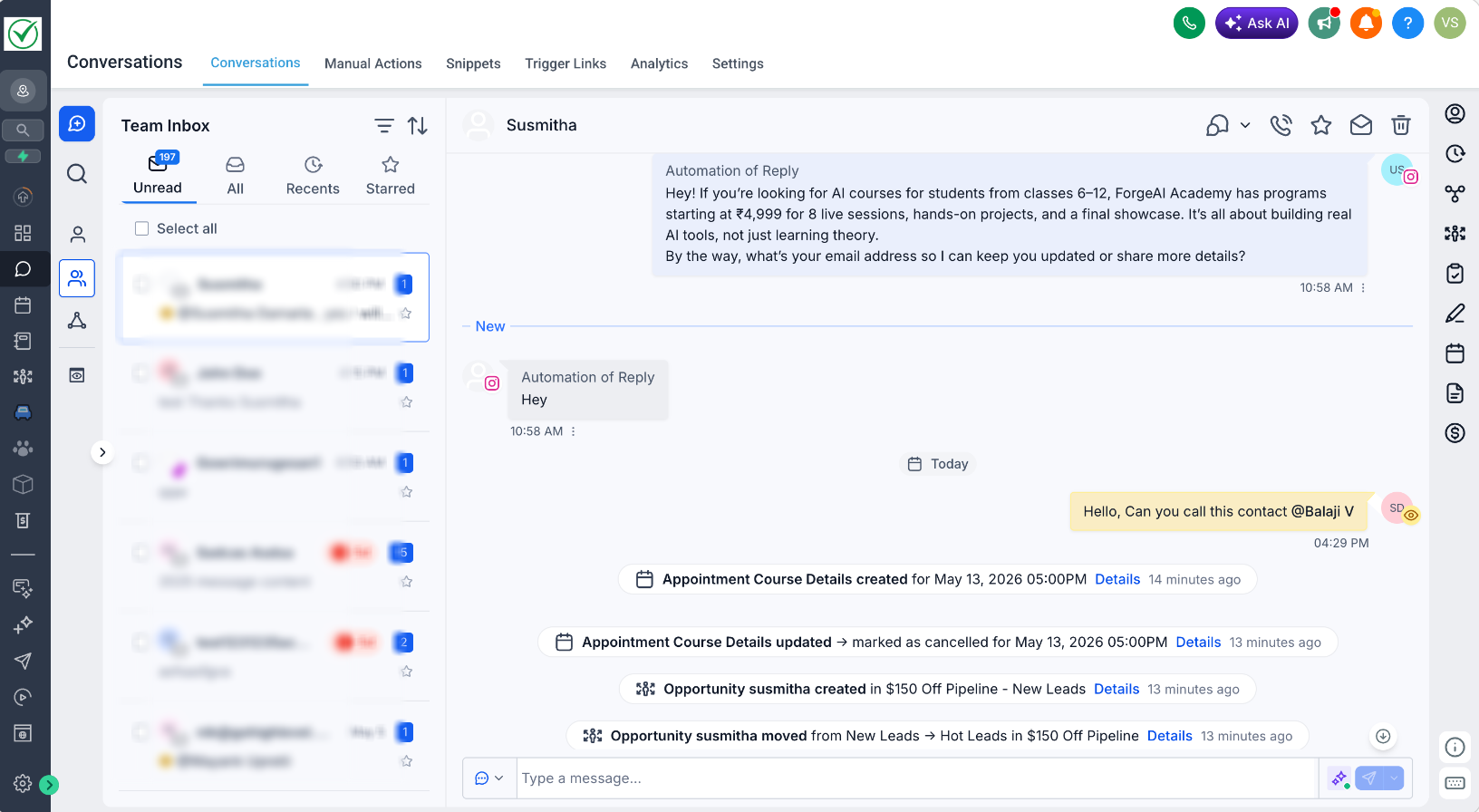
“New” Divider in Conversations: Clearly marks where unread messages begin in the thread
Auto Scroll to Unread: Opening an unread conversation automatically takes you to the first unread message
How It Works:
Open any unread conversation
You’ll be automatically taken to the first unread message, marked by a “New” divider
The “New” indicator is cleared only when you reply or manually mark the conversation as read. It will persist even if you navigate away or refresh the page
Why it Matters:
Unread messages can easily get buried between campaign logs, activities, or long message threads. This update removes the guesswork by guiding you directly to what needs attention, helping you respond faster and manage conversations more efficiently.
Note:
"New" indicator will only be shown for messages received after April 23, 2026.
Was this article helpful?
That’s Great!
Thank you for your feedback
Sorry! We couldn't be helpful
Thank you for your feedback
Feedback sent
We appreciate your effort and will try to fix the article