You can now connect multiple pages per platform across all supported reputation integrations—making it easier than ever to manage reviews at scale.
With support for 52 platforms and no limits on page connections, you get full flexibility and control over your reputation management.
What’s New
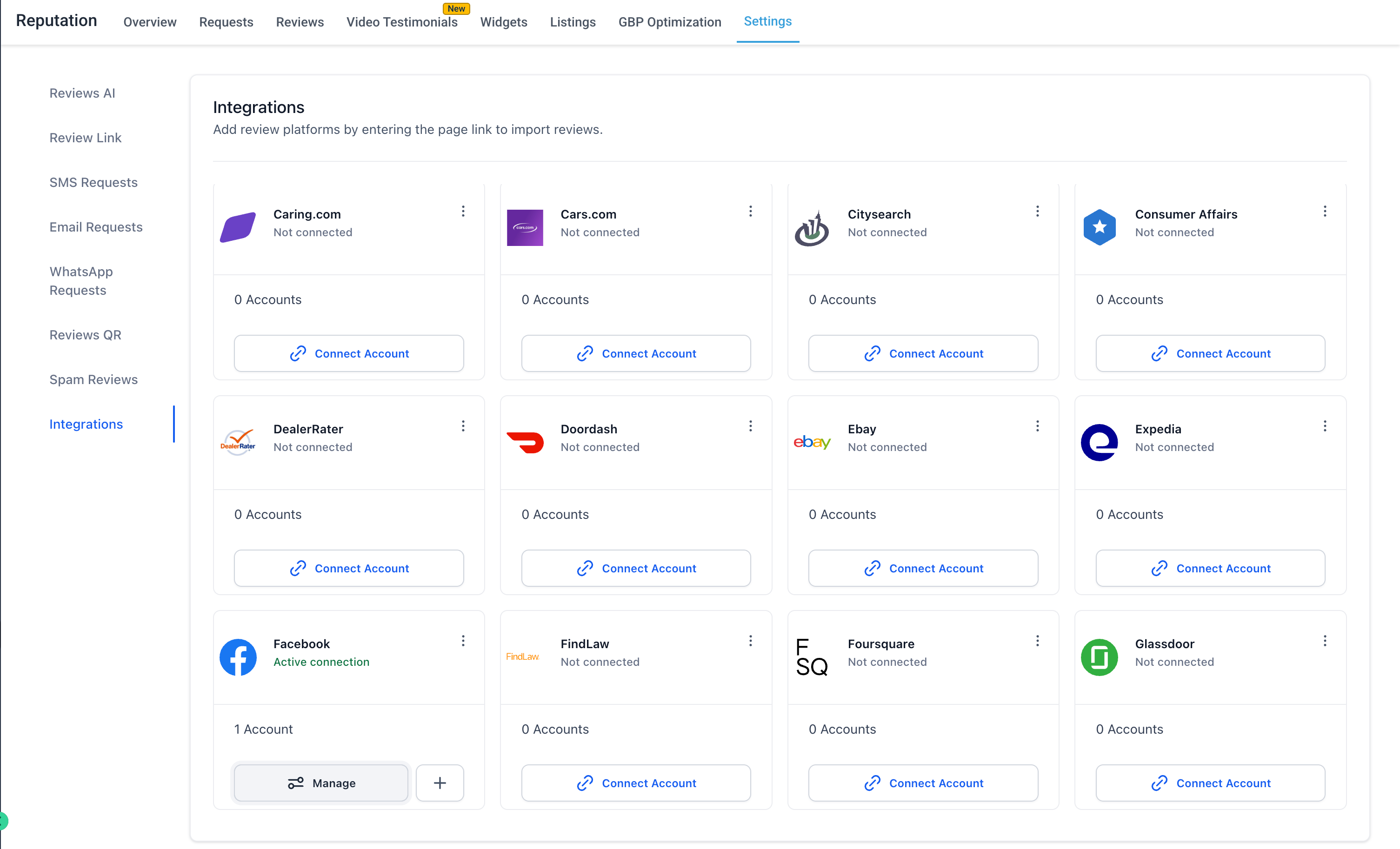
Connect Multiple Pages per Platform
Easily link multiple business pages under the same platform (e.g., multiple Facebook or Yelp listings).
Ideal for accounts and multi-location businesses managing several brands or branches.
Unlimited Page Connections
No caps, no restrictions. Add as many pages as you need and scale without friction.
52 Supported Review Platforms
Manage reviews across a wide range of platforms including:
Google Business Profile, Facebook, Yelp, TripAdvisor, Trustpilot, Zillow, Zomato, Airbnb, Amazon, Booking.com, Uber Eats, Glassdoor, Indeed, OpenTable, and more.
Centralized Integration Management
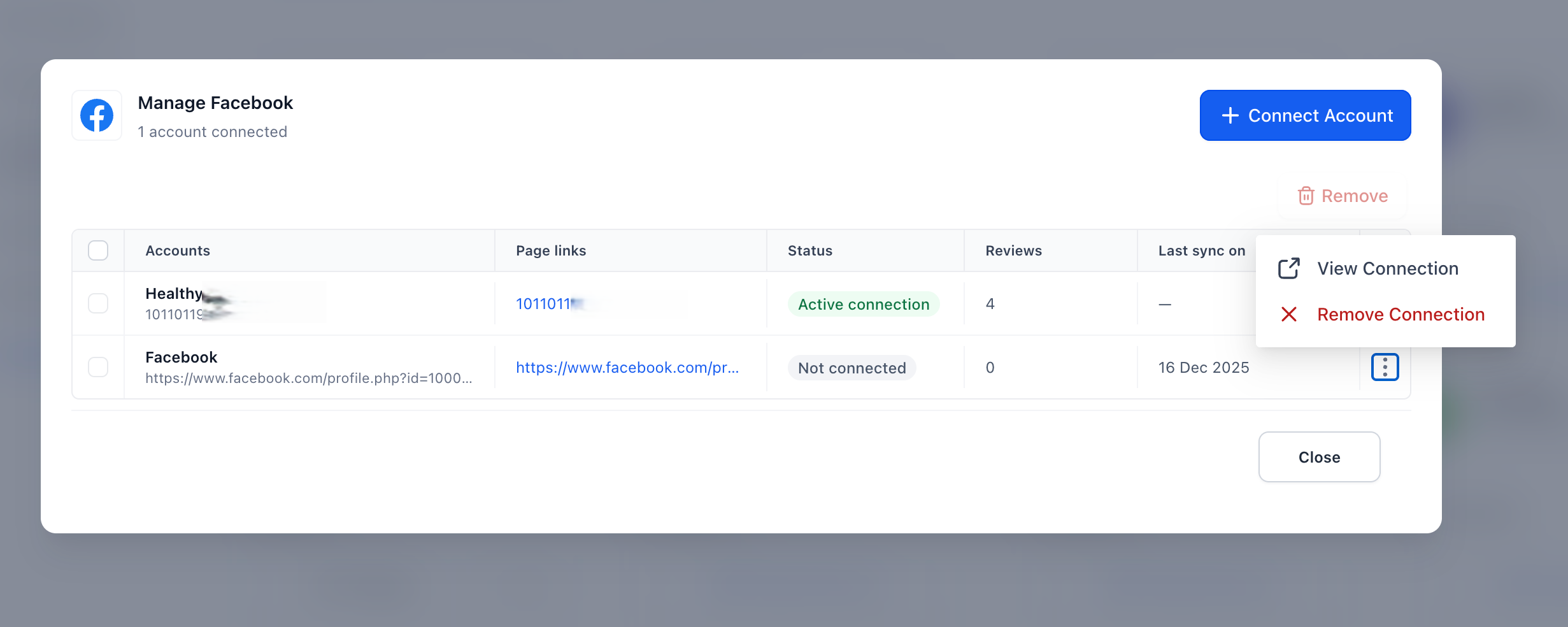
View all connected pages in one place
Monitor connection status (Active / Not Connected)
Manage or remove connections anytime
Access sync and page-level details easily
Page-Level Visibility & Control
Get full transparency for every connected page:
Page link/reference
Connection status
Review count
Last sync details
How It Works
Go to Reputation → Settings → Integrations
Select a platform
Click Connect Account
Add one or more page links
Use Manage to view, monitor, or remove connections anytime
Why It Matters
Manage multiple locations and clients from one place
Remove scaling limitations for review management
Gain deeper visibility into page performance
Simplify onboarding for account
Centralize reputation management across all platforms
Was this article helpful?
That’s Great!
Thank you for your feedback
Sorry! We couldn't be helpful
Thank you for your feedback
Feedback sent
We appreciate your effort and will try to fix the article