What’s new?
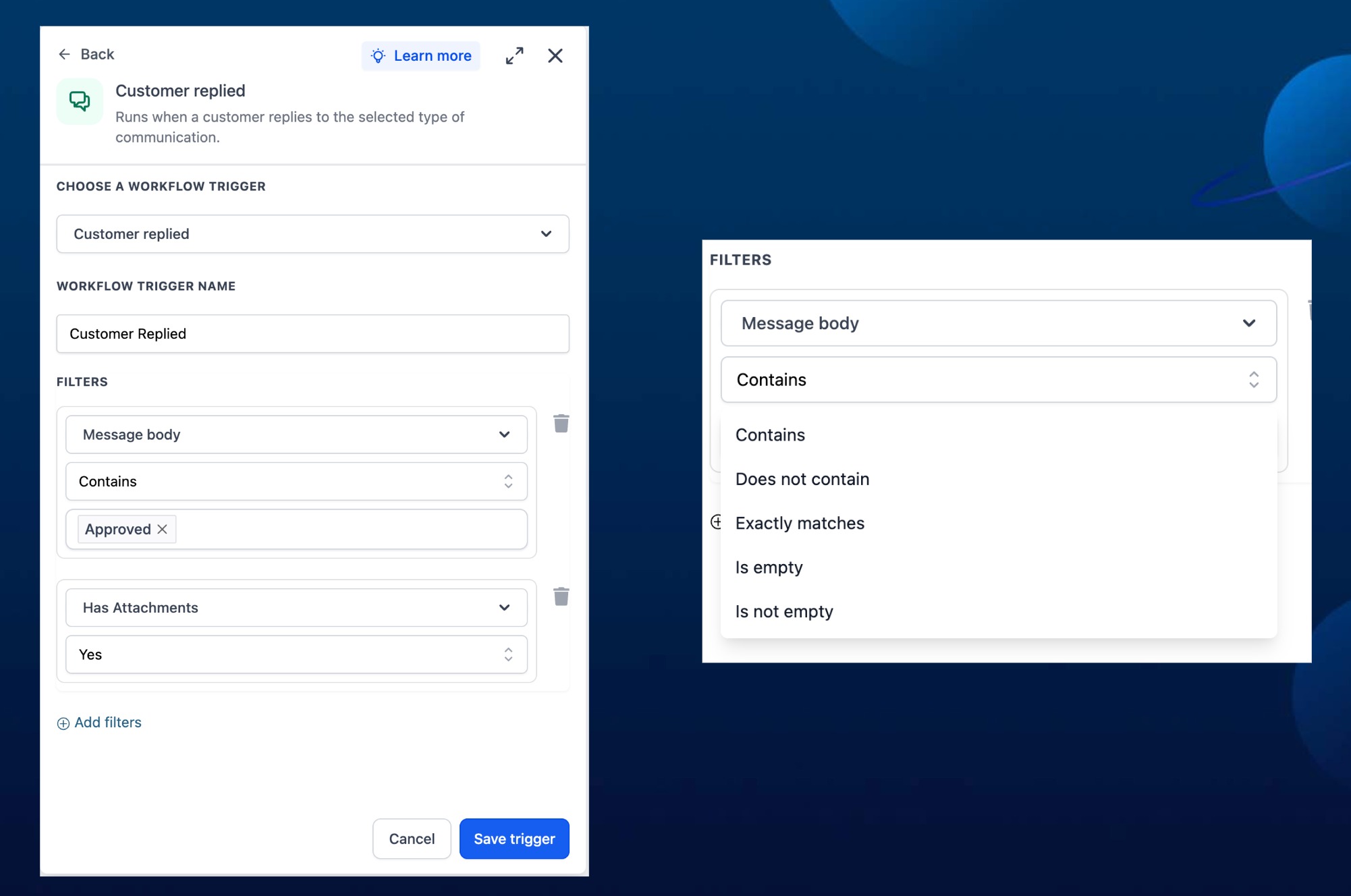
We’ve enhanced message filters with 2 updates: a new Has Attachments filter with yes/no values, and a new Message Body filter that combines the older Contains Phrase and Exact Match Phrase filters in one place.
How it works
Use Has Attachments to check whether a message includes files. Use Message Body to filter messages by whether the body contains, does not contain, exactly matches, is empty, or is not empty. Existing workflows using Contains Phrase or Exact Match Phrase will continue to work.
How to use it
- Open the message filter setup in your workflow.
- Choose Has Attachments or Message Body.
- Select the condition and enter the phrase or yes/no value.
Why we built it
This makes message filtering clearer and more flexible, while keeping existing workflows safe and unchanged.
Simple example
- A marketing account uses Has Attachments = Yes to route messages with uploaded creative files to the design team.
- A real estate team uses Message Body contains “showing” to send property showing requests to the right pipeline.
Additional Notes
- Has Attachments supports yes/no values.
- Message Body includes contains, does not contain, exact match, empty, and not empty checks.
- Older Contains Phrase and Exact Match Phrase filters remain backward compatible.
Preview
Was this article helpful?
That’s Great!
Thank you for your feedback
Sorry! We couldn't be helpful
Thank you for your feedback
Feedback sent
We appreciate your effort and will try to fix the article