Overview
:You can now link Community Membership Questions directly to CRM Custom Fields.
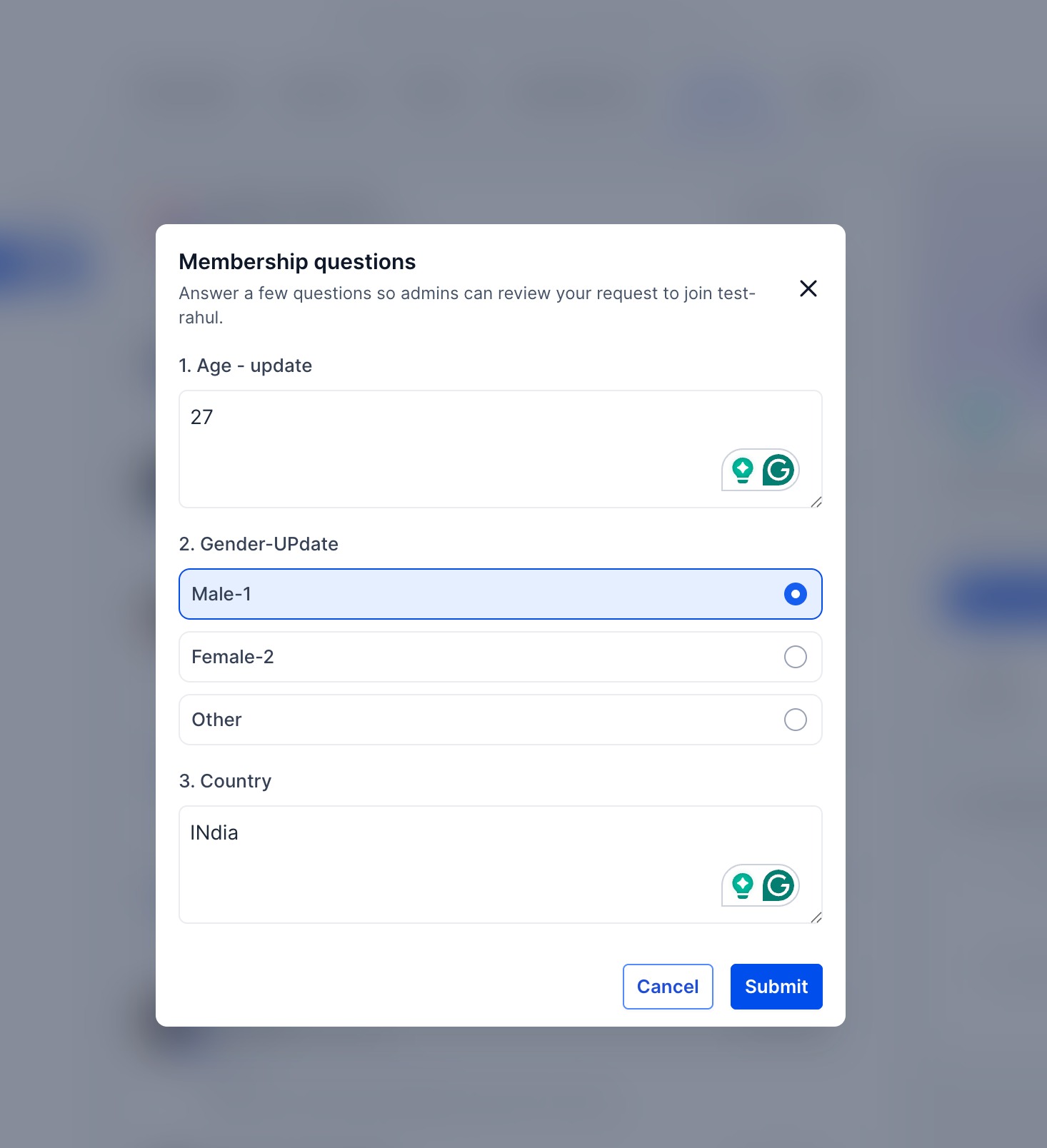
When a user joins a community and answers membership questions, their responses are automatically synced to the corresponding CRM contact record. This allows you to collect important information during onboarding and immediately use it in your existing workflows and automations.
Why It Matters
Membership answers are now automatically synced to CRM custom fields, enabling automated approvals, workflows, and up-to-date contact records without manual data entry.
How to Use It
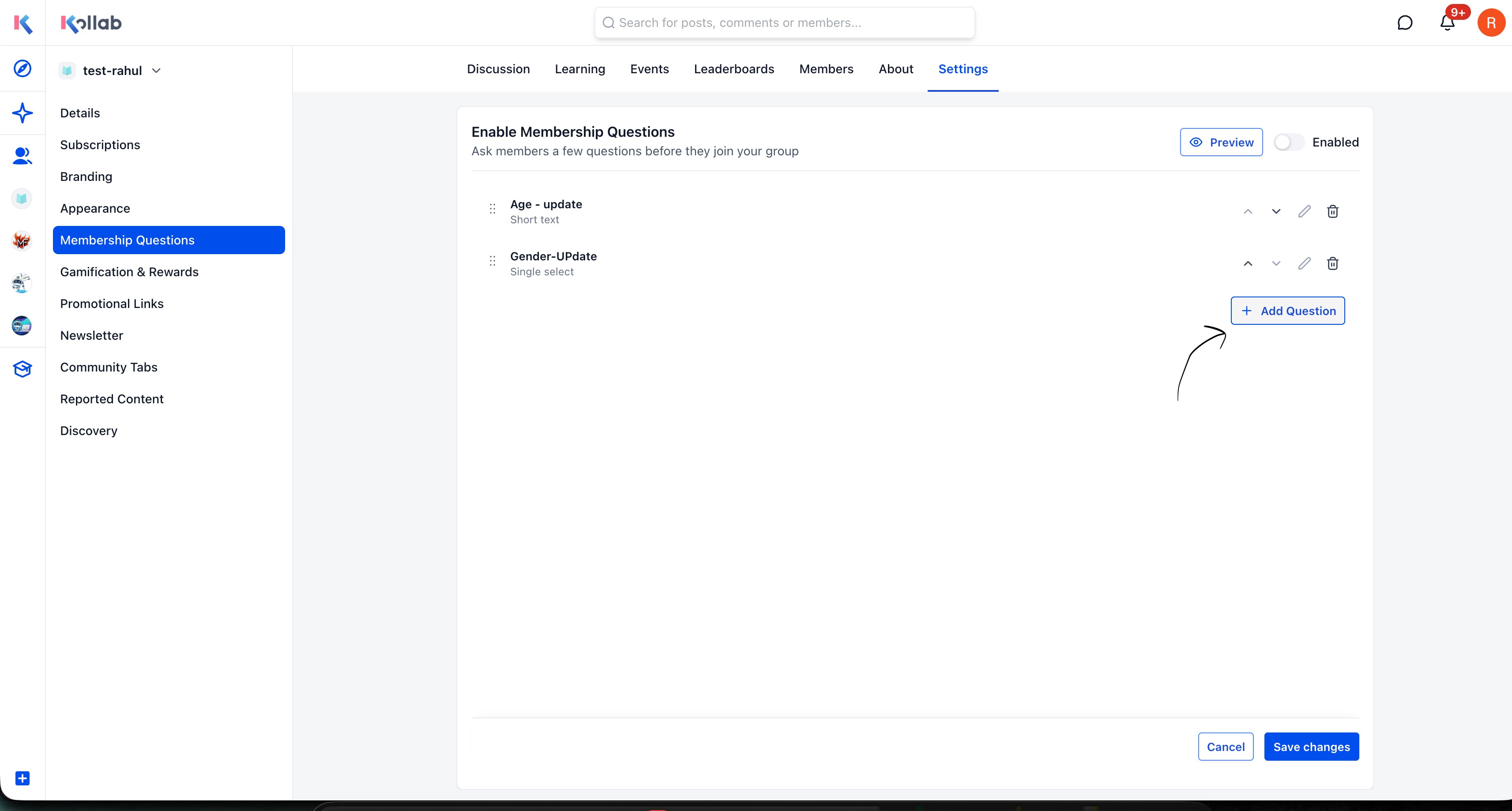
Navigate to Community Settings → Membership Questions.
- Click Add Question.
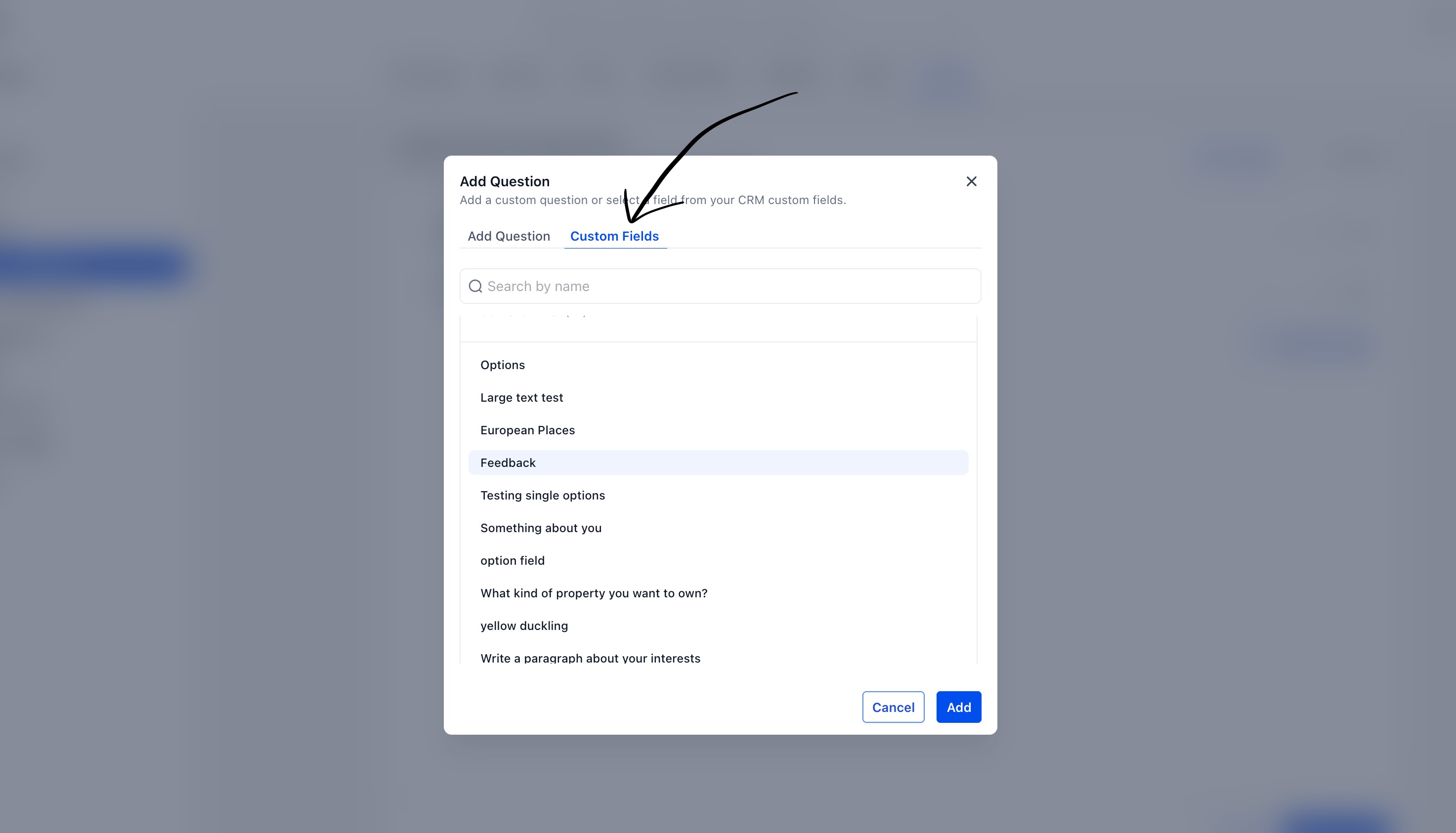
- Select the Custom Fields tab.
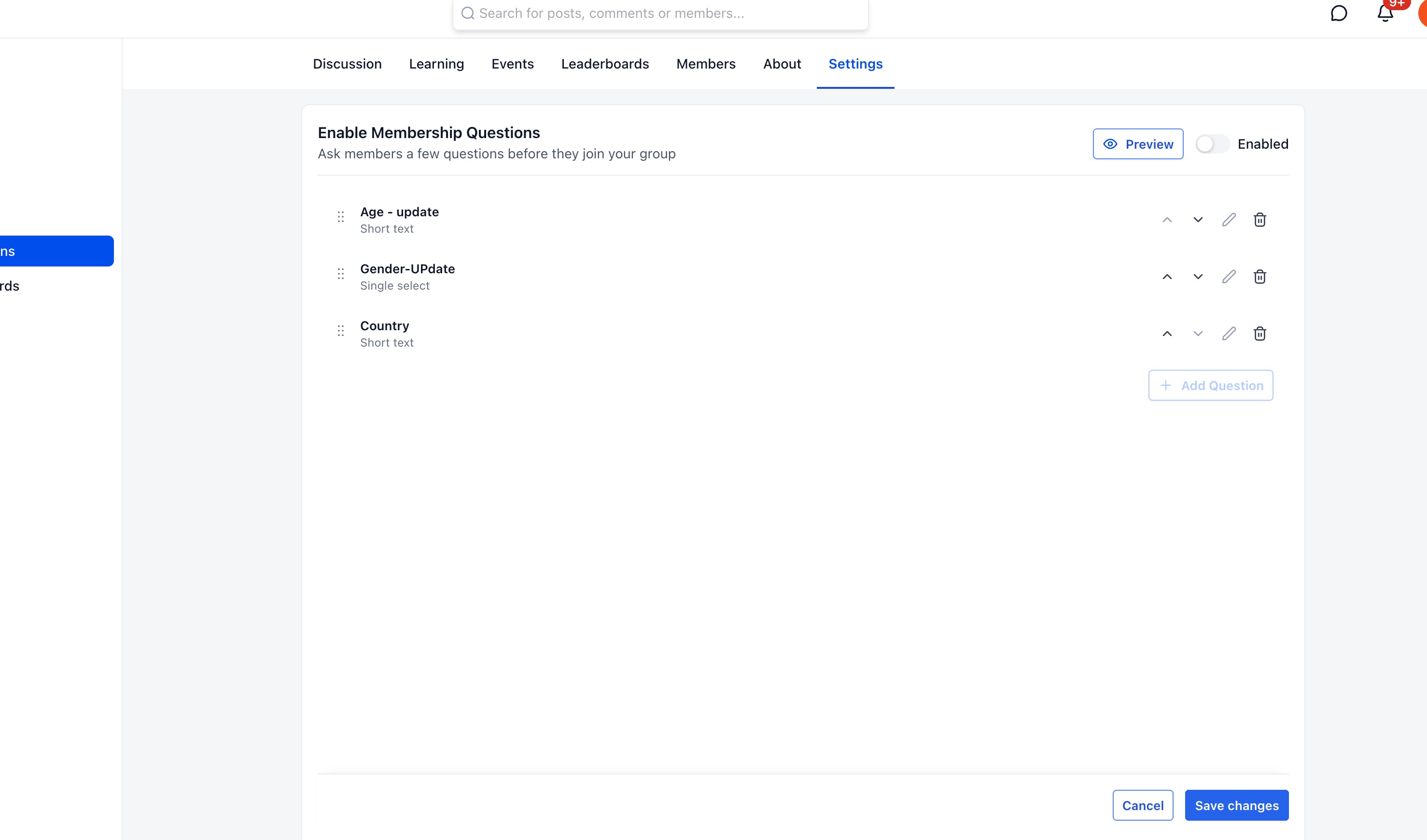
- Choose the CRM custom field you want to use.
- Click Save.
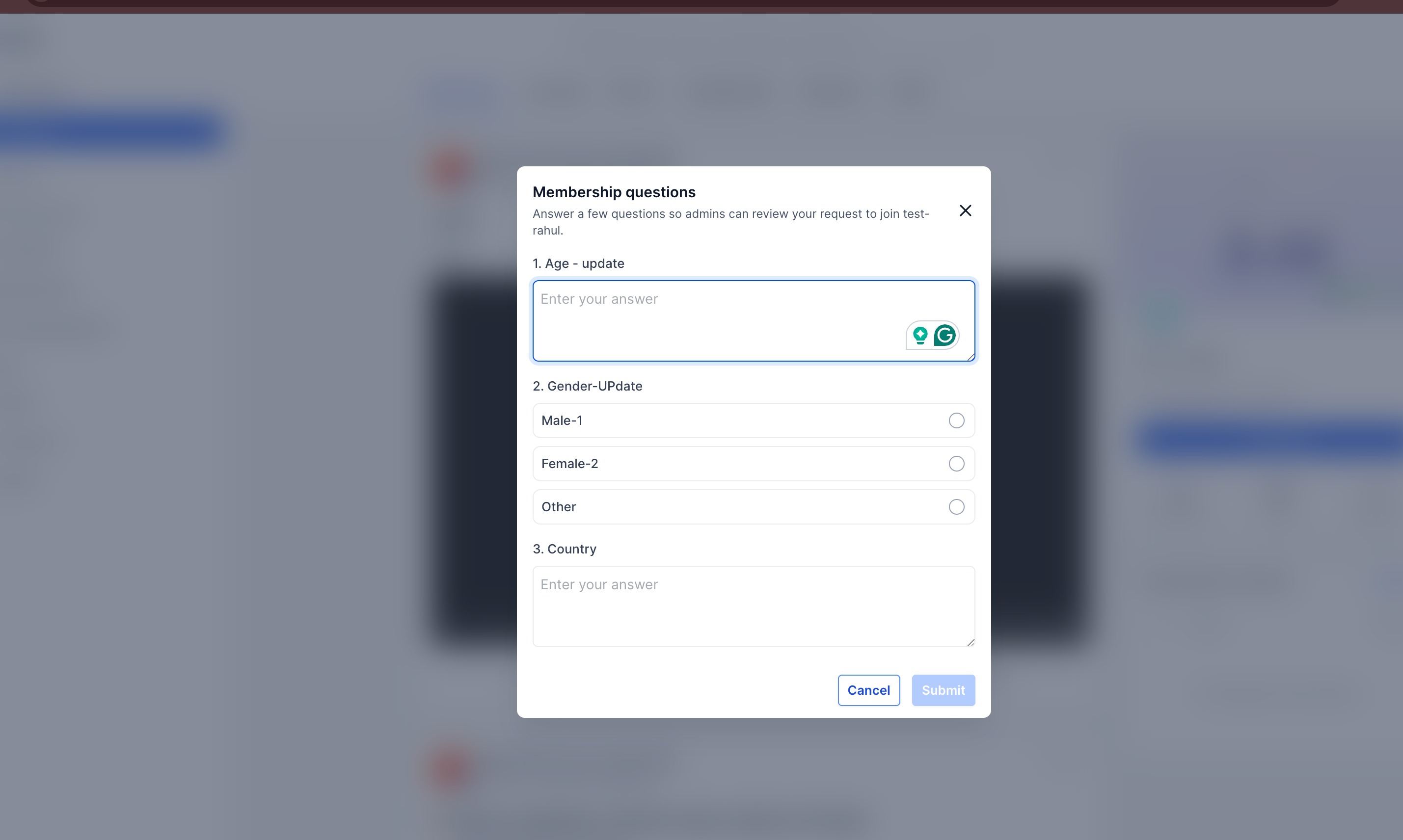
Once a member submits their answers during the join process, the linked CRM custom fields will be automatically updated.
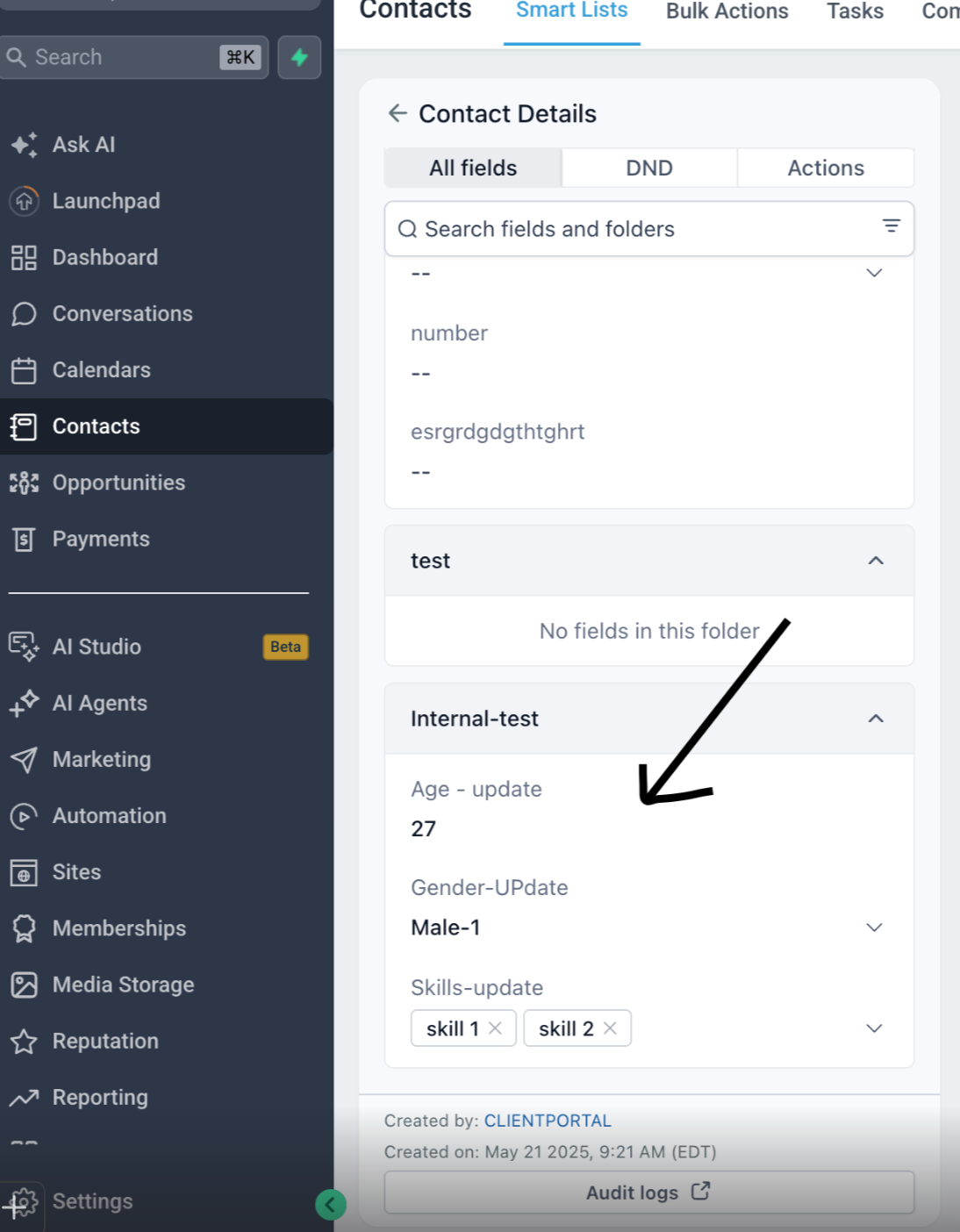
You can view the submitted answers in the Contact Details section under the selected custom field folder.
Was this article helpful?
That’s Great!
Thank you for your feedback
Sorry! We couldn't be helpful
Thank you for your feedback
Feedback sent
We appreciate your effort and will try to fix the article