Overview
We're making it easier for customers to find the right rental.
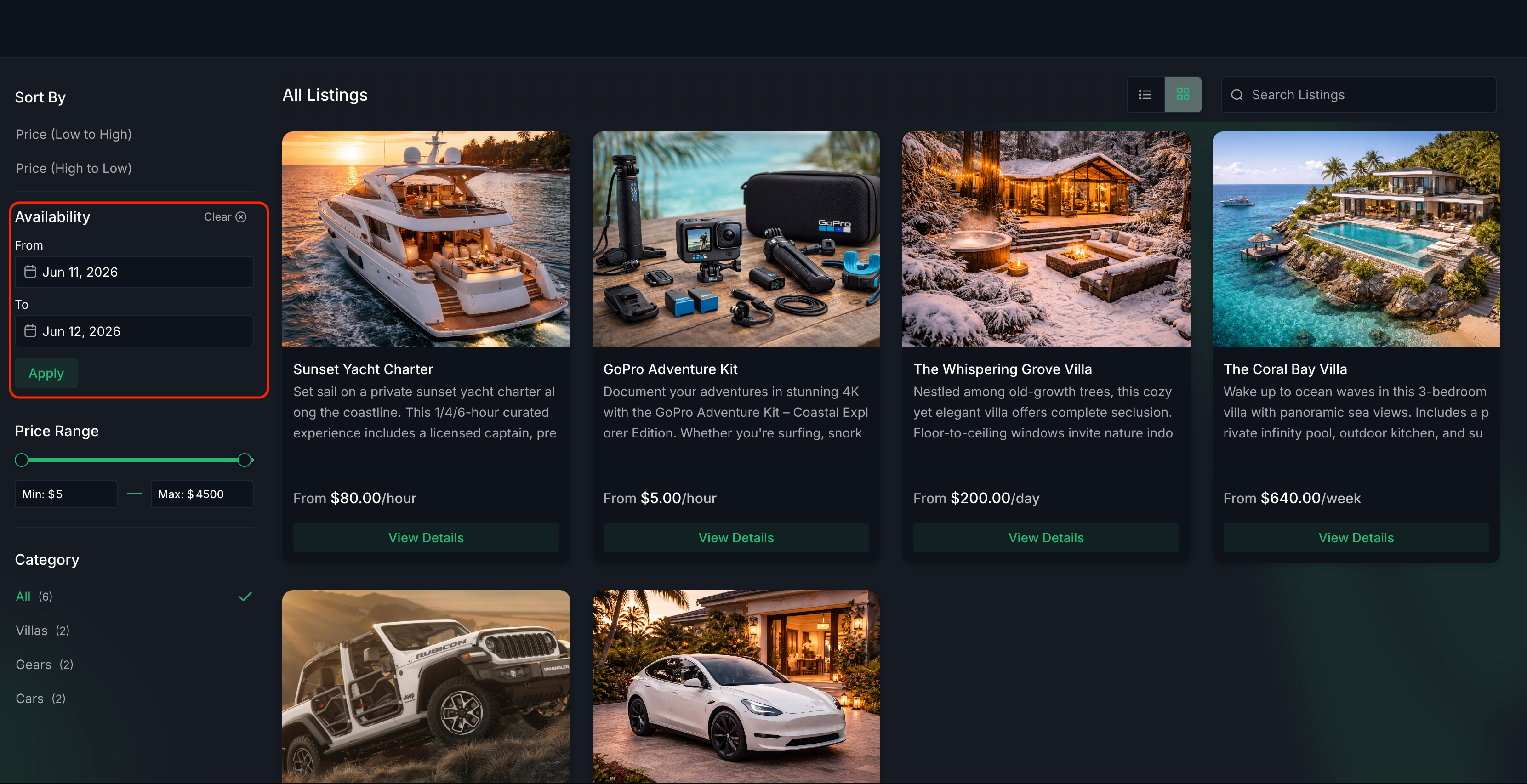
Customers can now filter available listings on the Rentals Booking Page using a Start Date and End Date before browsing listings. The system automatically shows listings that are available during the selected rental period and pre-fills booking details when a listing is opened.
This helps customers discover relevant rentals faster without checking availability listing by listing.
What's New?
Filter Listings by Date Range
Customers can now filter based upon a Start Date and End Date directly from the booking page.
Once both dates are selected:
- Listings are filtered based on availability
- Only relevant listings are shown
- Booking details are automatically pre-filled when a listing is opened
Works Across All Booking Modes
- The date filter automatically adapts to the booking mode configured for each listing.
- All booking rules — including availability, inventory, lead time, buffers, duration requirements, and advance booking limits — are respected before a listing is shown.
Date Selector Listings
Listings are shown only when they can be booked for the complete selected date range
Note: Nightly rentals requiring at least one night will not appear when the same start and end date are selected
Date & Time Selector Listings
Listings are shown only when a continuous booking can be created for the selected date range
Example: If a customer searches July 10 – July 12, a listing can appear even if it's available from 11:30 PM on July 10 to 12:30 AM on July 12.
Fixed Duration Listings
Listings are shown if the rental can start within the selected date range
The rental may end after the selected end date depending on the configured duration
How to Use
- Open the Rentals Booking Page.
- Select a Start Date and End Date in the Availability filter and click Apply.
- Browse filtered listings.
- Open a listing to view pre-filled booking details.
- Complete the booking as usual.
Why This Matters
Helps customers find available rentals faster
Reduces time spent checking availability manually for each listing
Improves booking conversion with easier discoverability and smarter defaults
Was this article helpful?
That’s Great!
Thank you for your feedback
Sorry! We couldn't be helpful
Thank you for your feedback
Feedback sent
We appreciate your effort and will try to fix the article