We’ve launched Reselling Reporting on the Account Dashboard — giving accounts clear visibility into the services they’ve deployed and monetized across accounts.
This release focuses on structured visibility — helping accounts track revenue, costs, profits, MRR, and product-level performance across both usage-based and subscription-based offerings.
Reselling Tab Overview
The Reselling tab is divided into two key sections:
• Usage Products
• Subscription Products
Each section includes powerful filters, summary metrics, and visual reporting widgets to help accounts analyze performance with clarity.
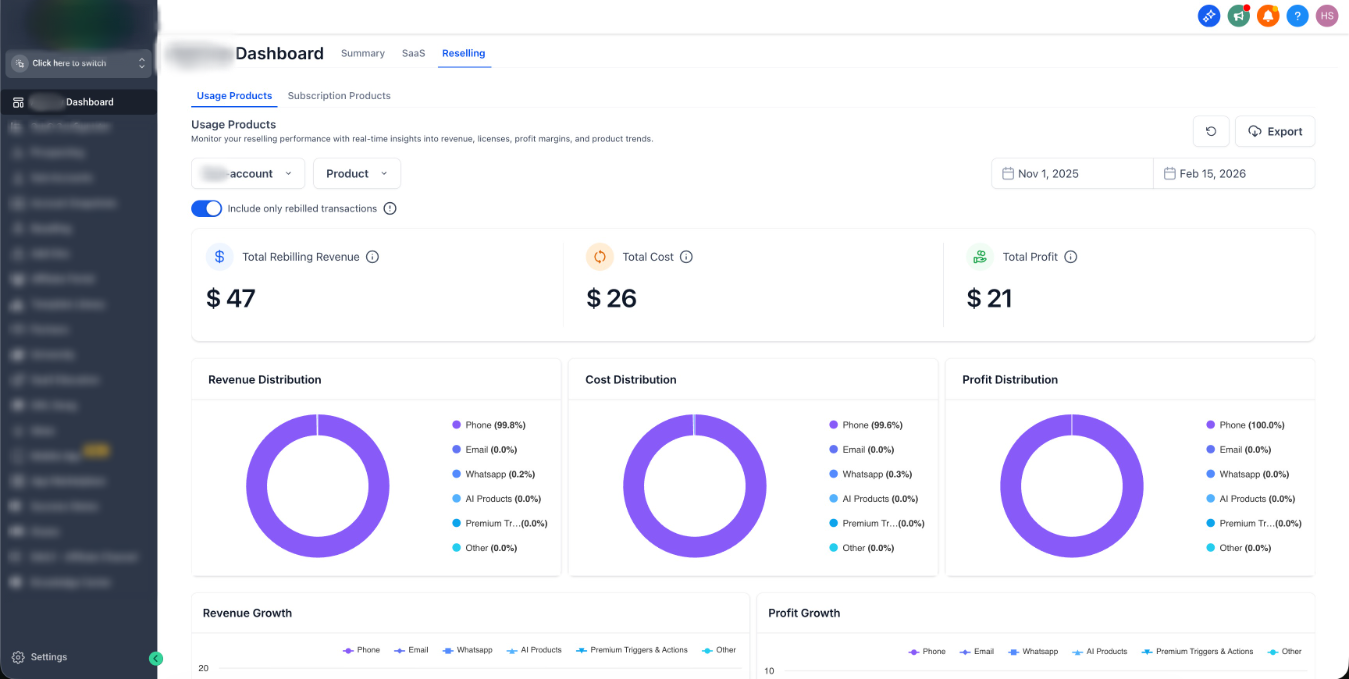
Usage Products
Designed for wallet-based and usage-driven services (e.g., messaging, AI tools, premium add-ons).
Filters & Controls
• Account filter
• Product filter
• Date range selector
• Toggle to include only rebilled transactions
• Export option
• Quick refresh control
Summary Widgets
• Total Rebilled Revenue
• Total Cost
• Total Profit
These high-level KPIs provide an instant snapshot of monetized usage performance.
Distribution Insights
• Revenue Distribution – Breakdown by product
• Cost Distribution – Cost allocation by product
• Profit Distribution – Profit contribution by product
These visualizations help accounts quickly identify which services drive the most financial impact.
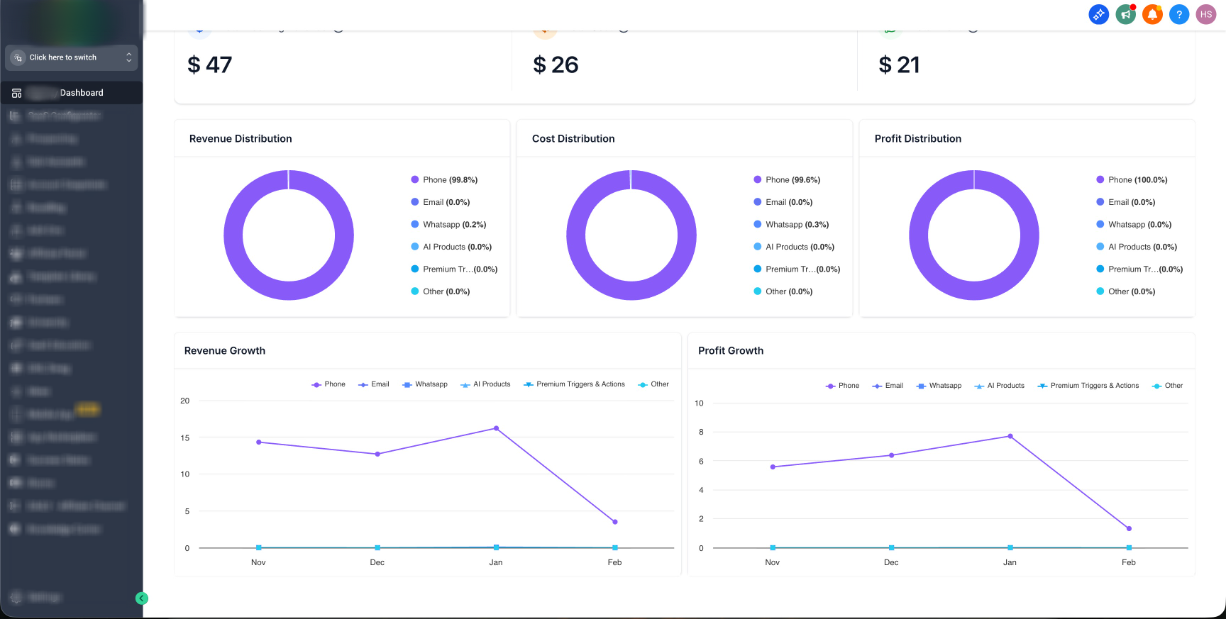
Growth & Trend Widgets
• Revenue Growth – Product-level revenue trends over time
• Profit Growth – Profit performance trends over time
This makes it easier to spot scaling opportunities or declining usage.
Subscription Products
Focused on recurring resold products and subscription-based monetization.
Filters & Controls
• Product filter
• Date range selector
• Export option
• Refresh control
Summary Widgets
• Total Reselling Revenue
• MRR (Monthly Recurring Revenue)
Clear recurring revenue tracking for subscription products.
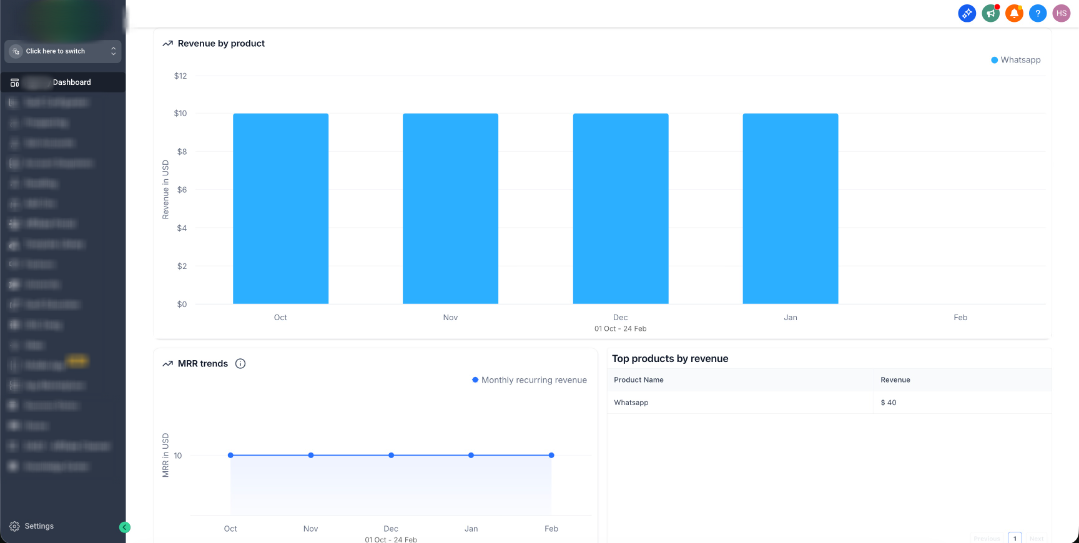
Performance Widgets
• Total Reselling Revenue Trend – Revenue performance over time
• Revenue by Product – Monthly breakdown by subscription product
• MRR Trends – Recurring revenue trend visibility
Ranking Widget
• Top Products by Revenue
Highlights highest-performing subscription products based on revenue contribution.
Why This Matters
Complete Monetization Visibility
: Accounts can now see both usage-based and subscription-based reselling performance in one place.Improved Billing Transparency
: Clear separation between revenue, cost, and profit reduces confusion around wallet deductions and direct billing.Growth Optimization
: Trend and distribution widgets help accounts identify:• High-margin services
• Underperforming products
• Upsell opportunities
Data-Driven Scaling
: With export functionality and granular filtering, accounts can analyze performance across time ranges, products, and accounts.The Reselling Dashboard transforms reselling from a black box into a measurable growth channel — giving accounts the clarity needed to scale monetized services confidently.
Was this article helpful?
That’s Great!
Thank you for your feedback
Sorry! We couldn't be helpful
Thank you for your feedback
Feedback sent
We appreciate your effort and will try to fix the article