With Multi-Board Selection for Pinterest, you can now publish a single pin to up to 25 boards per Pinterest account directly from Social Planner. One composer. Multiple boards. Zero repetitive work.
What’s new
Multi-Board Selection (Up to 25 Boards)
You can now select multiple Pinterest boards inside a single post.
Multi-select dropdown with board chips
Remove boards easily using the × icon
Works across multiple connected Pinterest accounts
Selected boards stay pinned at the top for quick access
Independent Per-Board Publishing
Every selected board creates its own published pin automatically.
This means:
Each board is tracked independently
One failed board won’t block others
Analytics remain separated per board
Works Across All Publishing Flows
Multi-board publishing is fully supported across:
Instant publishing
Scheduled posts
Approval workflows
Recurring posts
Category Queue
CSV bulk uploads
How to use this feature
Go to Marketing → Social Planner
Create a new Pinterest post
Select your Pinterest account(s)
Choose up to 25 boards from the Boards selector
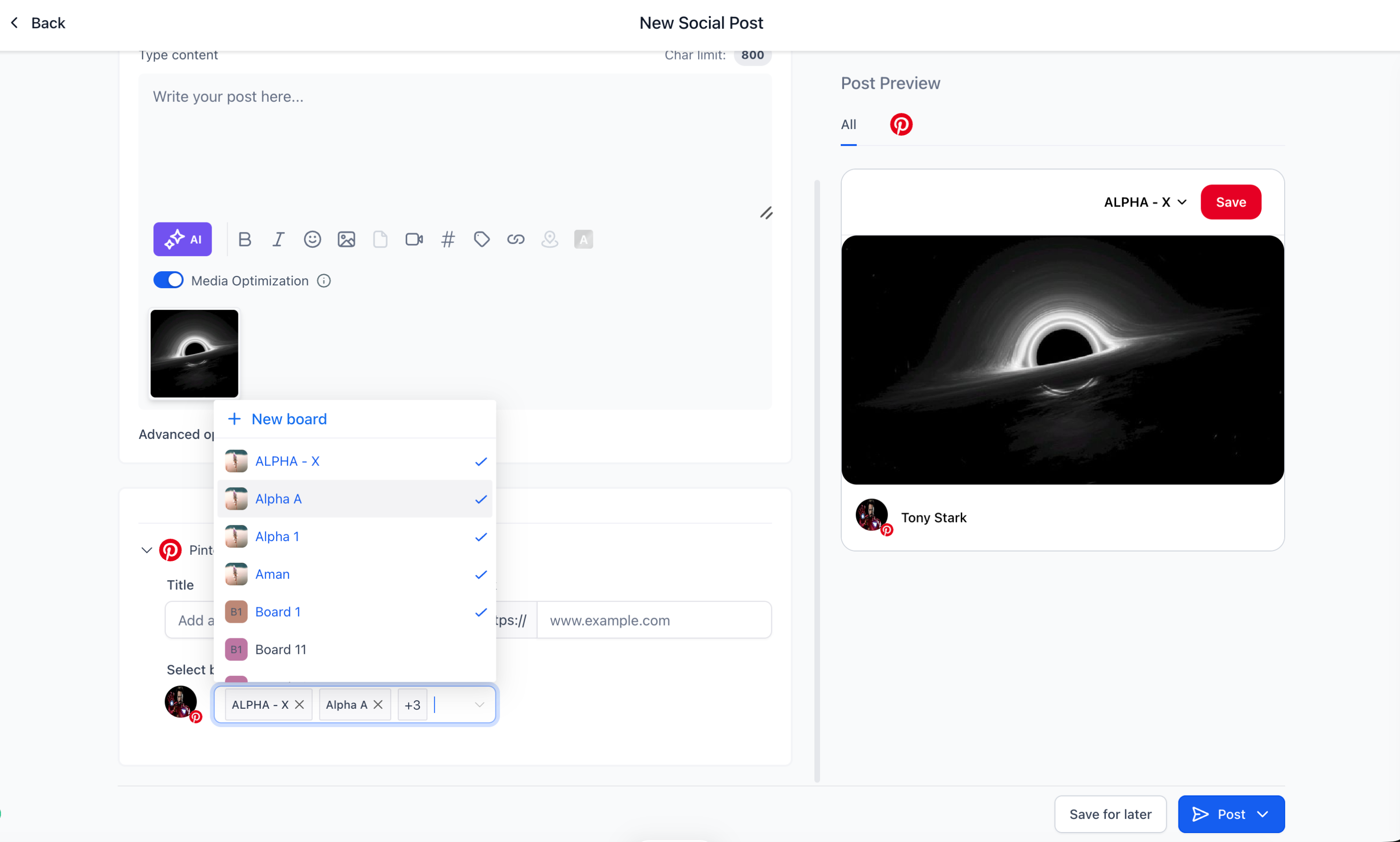
Selected boards appear as chips
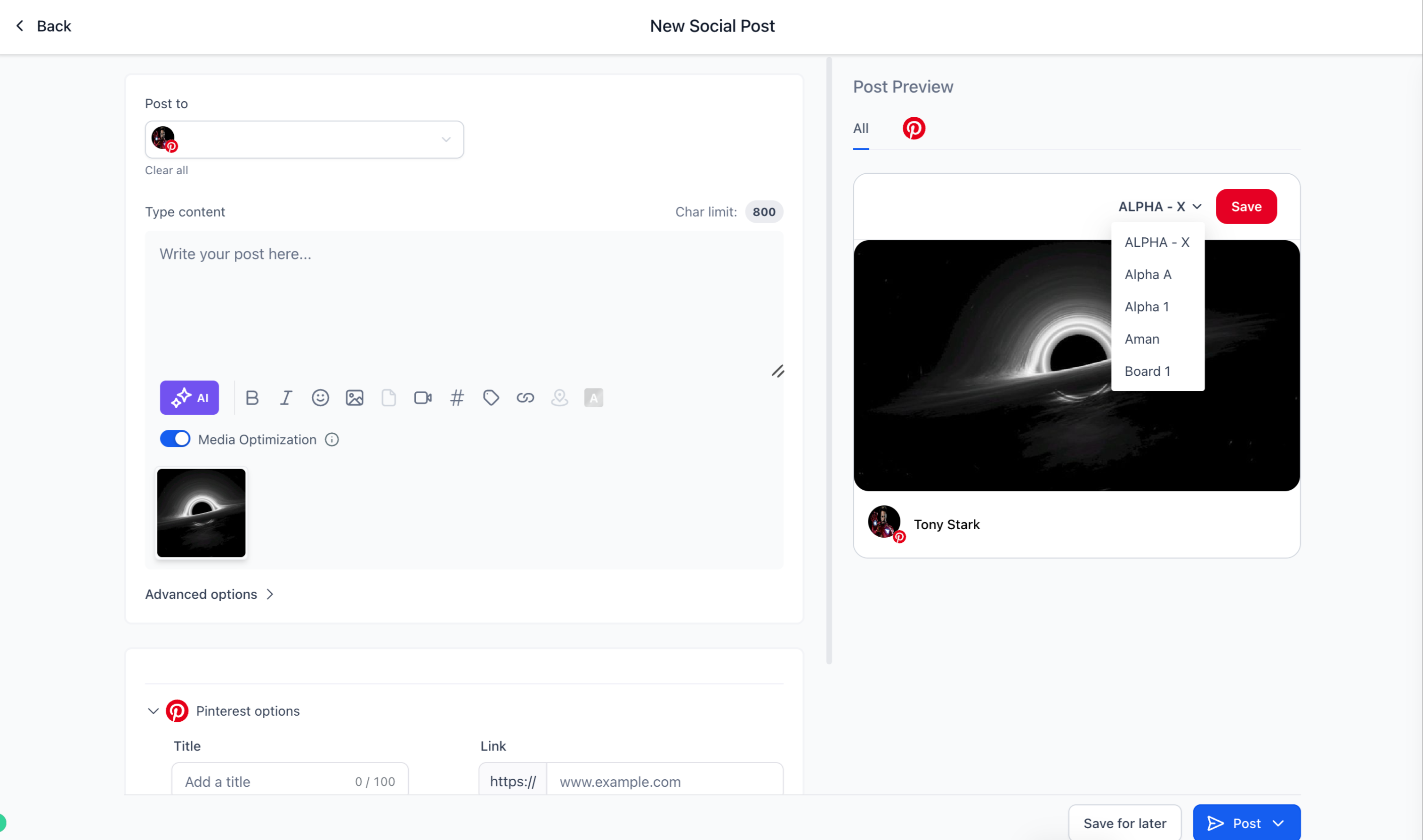
Publish, schedule, or queue the post
Social Planner automatically creates individual pins for each selected board.
Why it matters
Eliminate repetitive manual duplication
Publish Pinterest content much faster
Maintain clean per-board analytics
Simplify audience segmentation and campaign workflows
Improve efficiency for accounts managing multiple boards
Notes
Maximum: 25 boards per Pinterest account
Each selected board creates a separate published post
Board-level failures do not impact other selected boards
Existing Pinterest drafts continue working normally
Was this article helpful?
That’s Great!
Thank you for your feedback
Sorry! We couldn't be helpful
Thank you for your feedback
Feedback sent
We appreciate your effort and will try to fix the article