Overview
AI Builder now follows targeted-edit instructions with far greater precision. Name the actions or triggers you want changed and it updates exactly those, leaving everything else untouched. It can also apply the same change across many actions in a single instruction, so bulk edits that once meant opening each action by hand now happen in one pass.
What's New
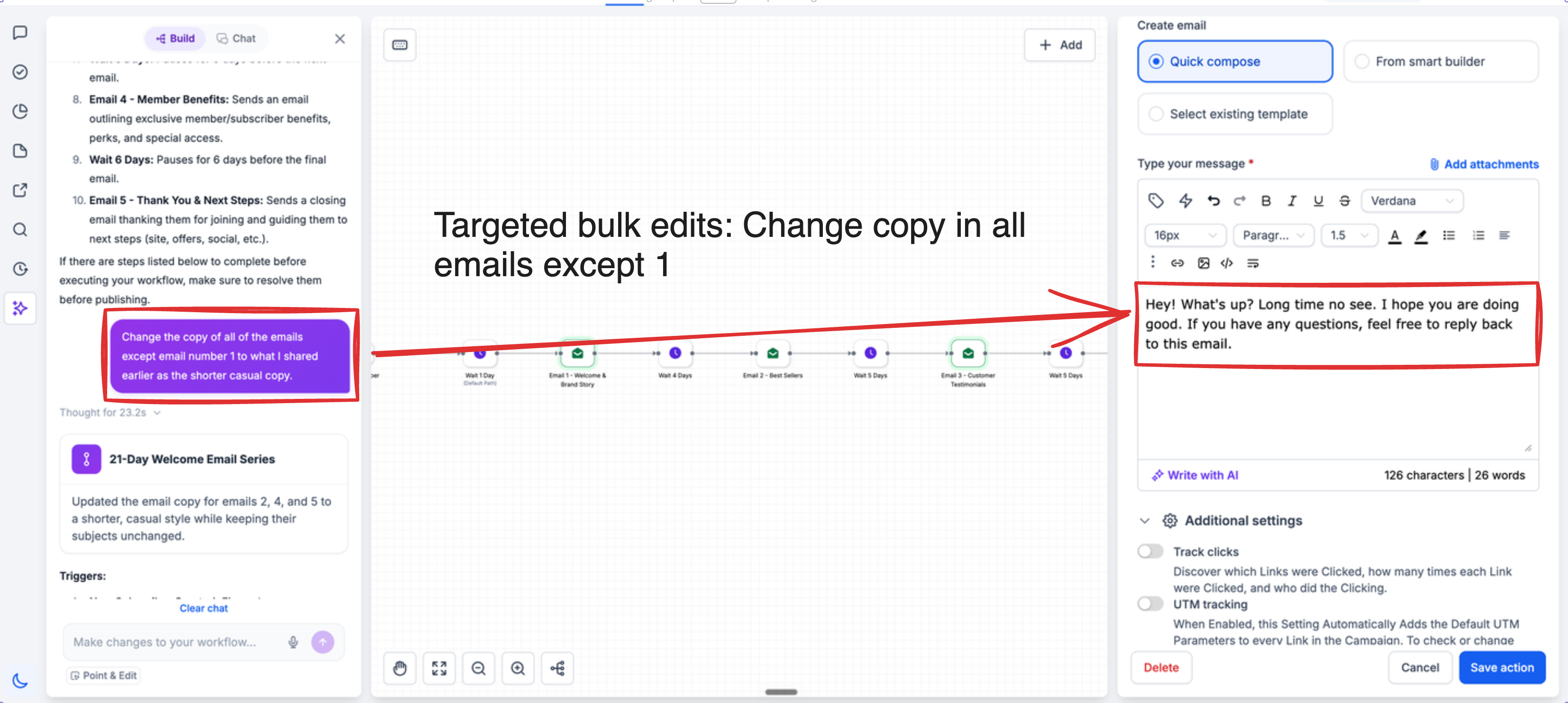
Sharper scoped-edit instruction following — Name the actions or triggers you want changed (all of them, a set number, or only specific ones) and AI Builder applies the change to exactly that set.
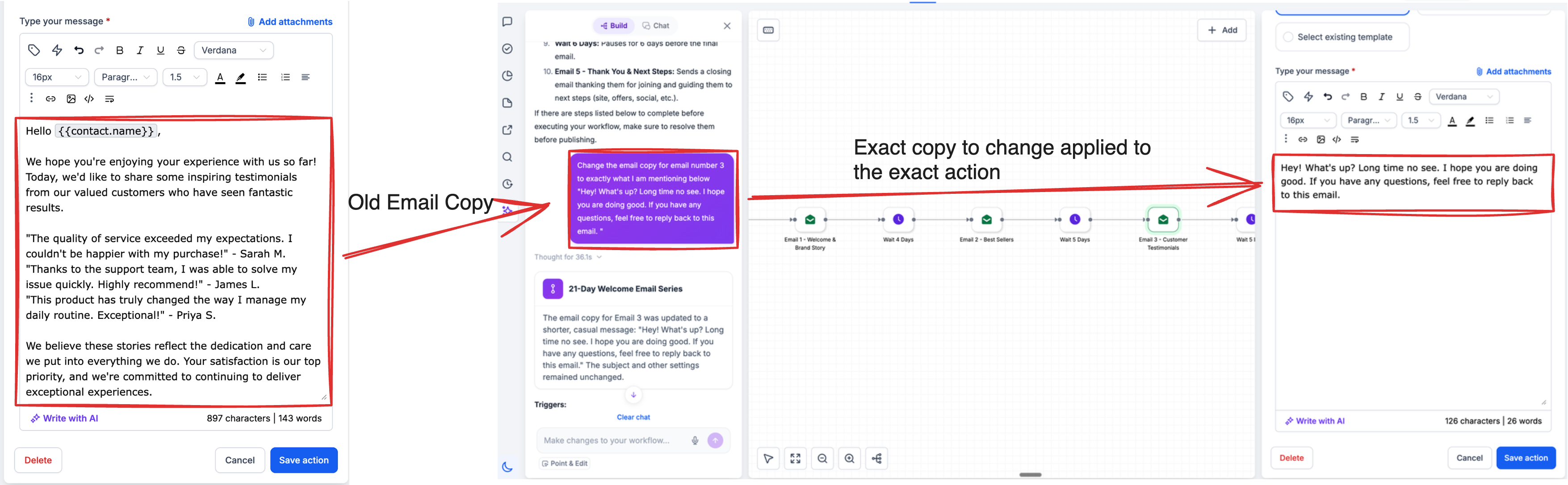
Bulk copy edits — Update email, SMS, or any-channel copy across multiple actions in a single pass.
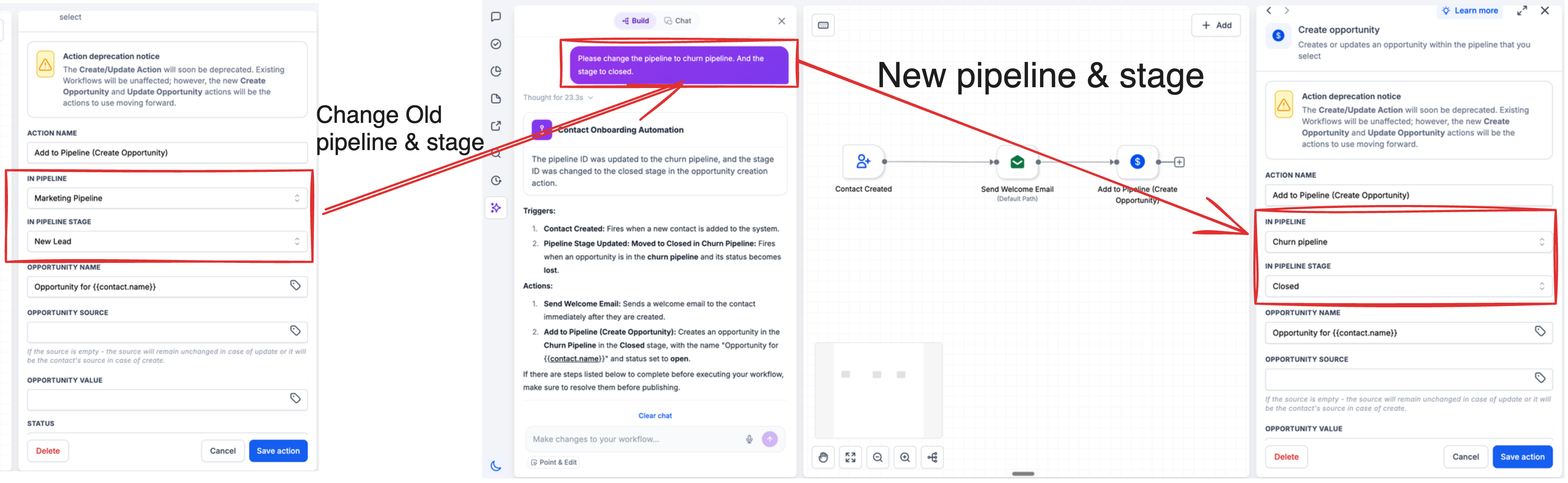
Bulk pipeline stage swaps — Change pipeline stages across all or specific actions and triggers at once.
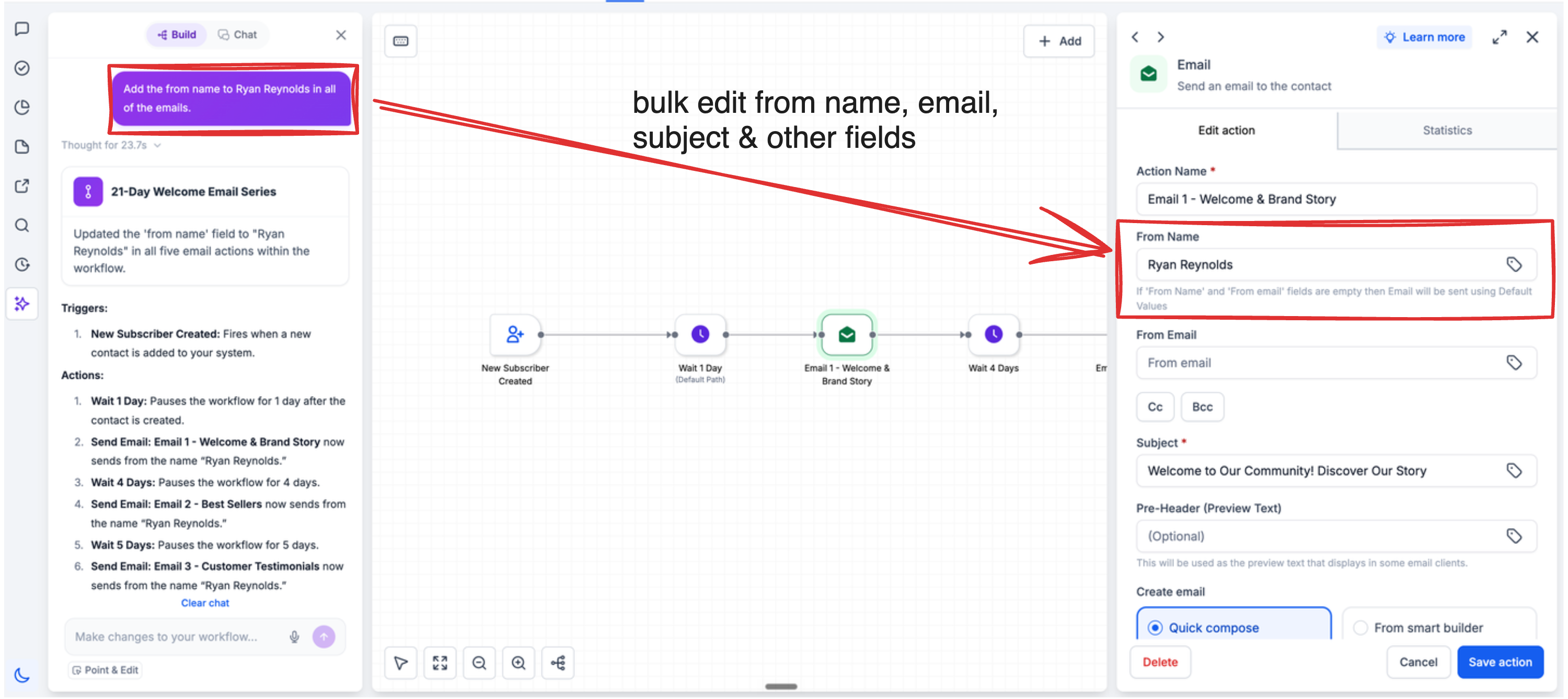
Bulk sender identity — Set From Name and From Email across all or selected email actions in one instruction.
Precise targeting — Provide exact copy for 20 of your 50 emails and AI Builder edits only those 20, leaving the rest unchanged.
How to Use
Open the AI assistant in the sidebar within the workflow builder.
Describe the change and its scope (e.g., "Set the From Name to Aviv in all email actions" or "Update the SMS copy in only the first two actions").
Review the preview and save.
Why This Matters
Editing effort no longer scales with workflow size. On long, complex workflows, the bottleneck has always been the manual, action-by-action grind—and that's exactly what a single scoped instruction removes, so the largest automations see the biggest gains.
Just as important, reliable scoping is what makes AI-driven bulk editing safe to trust at scale: changes apply only to the set you name, with no spillover into actions you didn't touch.
Was this article helpful?
That’s Great!
Thank you for your feedback
Sorry! We couldn't be helpful
Thank you for your feedback
Feedback sent
We appreciate your effort and will try to fix the article